Make a solid logo badge from a transparent PNG or prepared SVG. Compare raster and vector outlines, set physical size and download a locally generated STL.
Free · No account · Local
Build your model
01 / SETUP
Try a real sample
A transparent alpha mask or dark brightness threshold becomes a solid cutout. Internal holes and separate islands are preserved. JPG has no transparent background.
Explore other sample modes
3D preview
02 / INSPECT & EXPORT
EXAMPLE RESULT
See what your image can become
A real conversion made with this tool. Your model will appear here after generation.
Source imageGenerated mesh · digital preview
Example size: 60.0 × 60.0 × 3.0 mm
Choose an image → Set size → Generate → Download STL
STL coordinates are in mm. No colors or textures. Review walls and orientation in your slicer before printing.
FROM IMAGE TO OBJECT
Two real conversions you can repeat
Original inputs, actual generated meshes and downloadable STL files. These are digital previews, not photographs of printed objects.
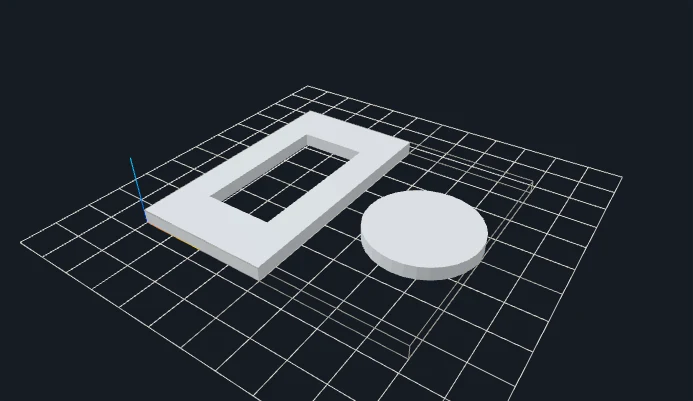
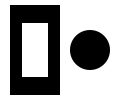
A compact raster badge
Original inputGenerated 3D geometry
A 60 mm badge uses a transparent raster source. This tool adds neither a backing plate nor a hanging loop.
Width (mm): 60 · Resolution: 128 · Extrusion thickness (mm): 3 · Minimum island area (grid pixels): 16
A logo may look connected on a screen while containing separate letters, dots and decorative islands. Converting it to STL preserves those parts; it does not assemble them into one badge. Start by deciding whether you want separate pieces, a single connected emblem, or a design with a backing plate. Prepare the connections in the source when they are part of the intended object.
The raster badge example begins at 60 mm wide and 3 mm thick with a larger small-island filter than the general PNG tool. The vector emblem instead uses closed SVG contours to keep its ring and curved disc well defined. These compare two production choices: a pixel-defined edge and a prepared vector edge. Neither demonstration automatically adds a keyring hole, hanging loop, mounting hardware or background plate.
Physical size matters more than the apparent sharpness of a logo thumbnail. A thin bridge that looks fine in a large editor view can be too narrow after scaling to a small badge. Width changes the planar size, while extrusion thickness remains an explicit value. Inspect holes, islands and thin regions at the final dimensions in your slicer. Use graphics you own or have permission to reproduce; conversion does not confer rights to another brand.
SET THE PHYSICAL SIZE
Parameters that change your result
Control
Starting point
What to inspect
Badge width
60 mm
A compact starting scale, not a universal printable size. The experiment increases it to 90 mm while keeping the same thickness.
Extrusion thickness
3 mm
Controls Z depth independently of width. A thicker badge does not strengthen a tiny XY bridge that remains narrow.
Minimum island area
16 sampled pixels
Filters tiny raster components. It is a grid area threshold, not a minimum physical wall width. Do not use it to remove intentional punctuation.
Vector curves
Quality 16 in the SVG example
Select SVG Vector Extrude for supported filled paths. Curve sampling and topology checks still apply even when the source is vector.
CHANGE ONE VARIABLE
A measured parameter comparison
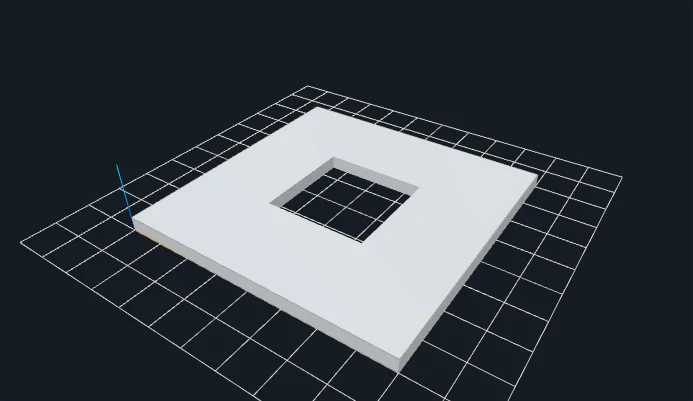
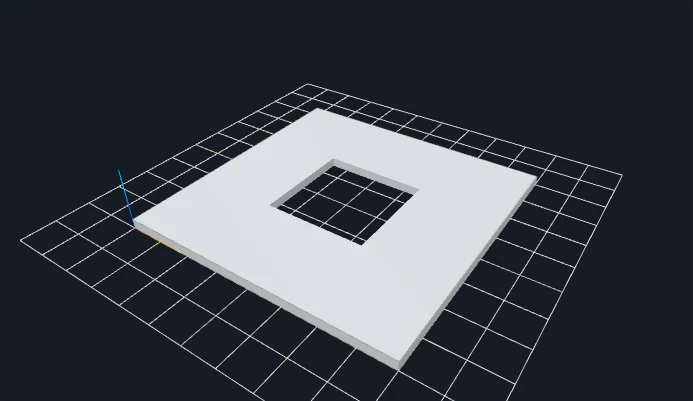
A larger badge expands XY dimensions, but the explicit 3 mm extrusion remains fixed. Both files use the same input and recorded settings; the single change is shown below.
Closed geometry and dimensions were checked after download. These measurements describe these files; they are not a printability guarantee.
YOUR FIRST CONVERSION
From source to slicer
Use a high-contrast logo or transparent PNG; choose SVG for vector precision.
Set the badge width and thickness. Remove specks with minimum island area.
Inspect holes and independent pieces, then slice each desired solid for printing.
Download the regenerated STL, confirm its dimensions as millimeters in your slicer, and check orientation, thin details and separate pieces before slicing.
One format, specific limits
STL stores triangles without units, colors or textures. This tool writes coordinates intended as millimeters. Closed-mesh validation checks finite coordinates, oriented shared edges and positive volume; it does not certify your printer, material or every thin feature.
JavaScript and Web Workers are needed for conversion. WebGL enables the interactive preview; if preview initialization fails, an already validated STL can still be downloaded.
BEFORE YOU PRINT
Slicer evidence with a clear scope
The V1 baseline fixture silhouette-ring produced actual layered G-code in both slicers. Across the four modes, eight baseline STL files were checked in Bambu Studio and PrusaSlicer. Their recorded files and hashes are retained.
PrusaSlicer: 14 layers, 8,016 extrusion moves.
Bambu Studio: 15 layers, 8,893 extrusion moves.
These are baseline slicing checks, not tests of every gallery parameter variation or physical print. Open your own downloaded model, check dimensions and thin features, and choose settings for your printer.
Control thresholding for high-contrast raster designs.
PRACTICAL ANSWERS
Questions about Logo to STL Converter
Can separate letters remain disconnected?
Yes. Independent closed shells are preserved. They print as separate pieces; a shared backing plate or connecting bridges are not added.
Can I use any brand logo?
Use graphics you own or are allowed to reproduce. The included ring is an original demonstration shape.
Can this add a backing plate behind disconnected letters?
No. Prepare a connected backing or union the design in your editor. The tool keeps independent closed shapes instead of inventing connections or merging parts without your choice.
Can I make a ready-to-use keychain?
A logo cutout can be part of that design, but no hanging loop or hardware clearance is generated automatically. Add those features in your source and inspect their physical dimensions before printing.
Files stay on your device. Desktop: up to 20 MB / 8 million pixels. Touch phones: 10 MB / 4 million pixels. SVG: 1 MB with bounded complexity. PNG, JPG, WebP and prepared SVG only. Use original or permitted artwork; model conversion does not grant image or trademark rights.