Convert grayscale brightness into a 2.5D surface with a flat base. Choose width and relief depth explicitly; this tool does not import GIS elevation data.
Free · No account · Local
Build your model
01 / SETUP
Try a real sample
Brighter pixels rise above a flat base. This is a 2.5D relief, not a full 3D reconstruction.
Explore other sample modes
3D preview
02 / INSPECT & EXPORT
EXAMPLE RESULT
See what your image can become
A real conversion made with this tool. Your model will appear here after generation.
Source imageGenerated mesh · digital preview
Example size: 120.0 × 90.0 × 7.0 mm
Choose an image → Set size → Generate → Download STL
STL coordinates are in mm. No colors or textures. Review walls and orientation in your slicer before printing.
FROM IMAGE TO OBJECT
Two real conversions you can repeat
Original inputs, actual generated meshes and downloadable STL files. These are digital previews, not photographs of printed objects.
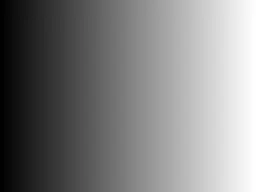
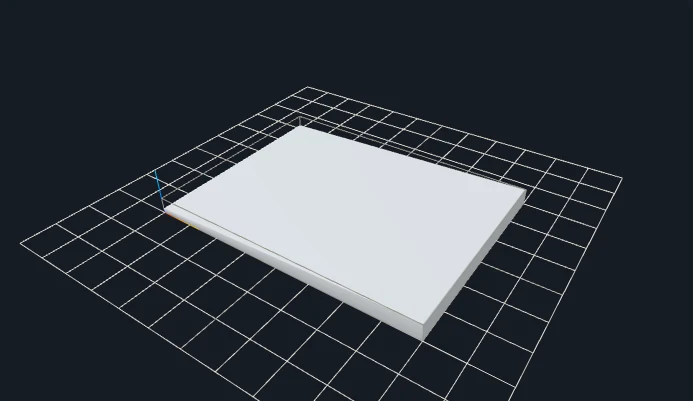
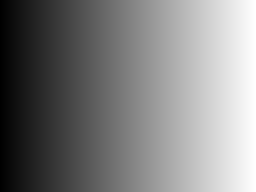
A controlled black-to-white ramp
Original inputGenerated 3D geometry
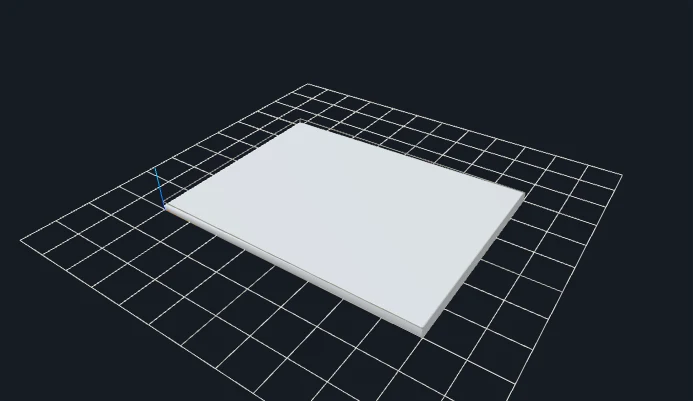
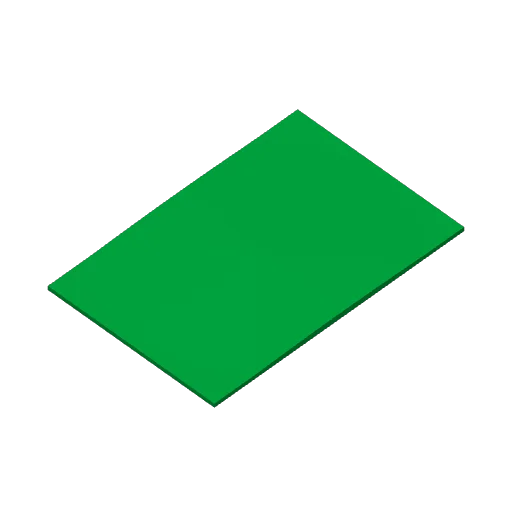
Black approaches the 2 mm base and white approaches 7 mm total height. These are relative image values, not GIS elevation.
Map relative grayscale to an explicit height range
A grayscale heightmap deliberately encodes surface height as brightness. This page uses the Relief engine: a black value approaches the flat base, while a white value approaches the base plus the chosen relief depth. Width and depth are entered in millimeters. Geographic coordinates, DEM metadata, elevation units and real-world terrain scale are not imported; a landscape-looking image alone cannot supply those facts.
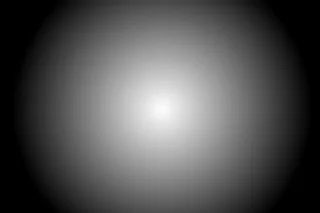
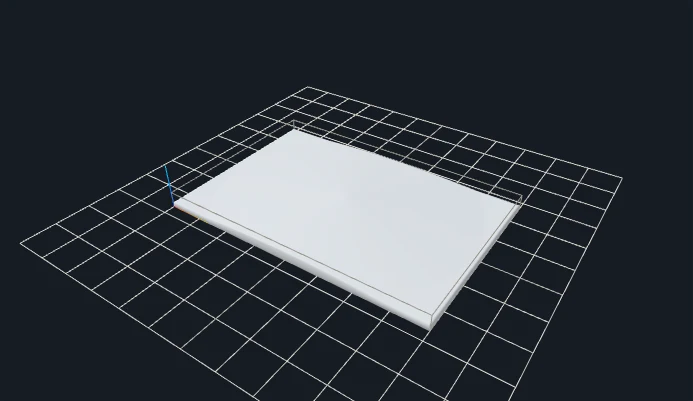
The ramp example makes this relationship measurable. With a 2 mm base and 5 mm relief depth, the surface approaches a 2 to 7 mm range. The radial example instead produces a peak whose sampled source may not reach perfect white at every grid resolution. The parameter experiment changes only the ramp depth, so you can distinguish a height-range change from a different image, aspect ratio or footprint.
Raster resolution determines how finely the source is sampled into the mesh. In the original engine, a rectangular image uses a proportional bounded grid, so the triangle count also depends on aspect ratio. Higher resolution adds data and STL size; it is not a vertical accuracy guarantee. Start from a lossless grayscale source when the values themselves matter. Contrast, smoothing and inversion intentionally alter those values, so use them deliberately rather than treating them as cosmetic preview filters.
SET THE PHYSICAL SIZE
Parameters that change your result
Control
Starting point
What to inspect
Width / base
120 mm / 2 mm
Sets XY size and the minimum solid support independently. The source aspect ratio supplies the other planar dimension.
Relief depth
5 mm
Adds a relative height range above the base. The same ramp is also generated at 2 mm depth below.
Contrast / smoothing
1 / 0
Neutral contrast and no smoothing preserve the intended mapping more directly. Increasing either changes sampled height relationships.
Resolution
256 initially; examples 128
Increase only if the source has detail worth sampling and your device has the memory. Doubling grid density can increase surface triangles substantially.
CHANGE ONE VARIABLE
A measured parameter comparison
Changing relief depth from 5 to 2 mm reduces the height range above the unchanged 2 mm base. Both files use the same input and recorded settings; the single change is shown below.
Closed geometry and dimensions were checked after download. These measurements describe these files; they are not a printability guarantee.
YOUR FIRST CONVERSION
From source to slicer
Choose a grayscale PNG, or use the original gradient example.
Set base and relief depth independently; invert if dark areas should rise.
Start at resolution 256. On desktop, 512 adds detail at a higher memory and STL size cost.
Download the regenerated STL, confirm its dimensions as millimeters in your slicer, and check orientation, thin details and separate pieces before slicing.
One format, specific limits
STL stores triangles without units, colors or textures. This tool writes coordinates intended as millimeters. Closed-mesh validation checks finite coordinates, oriented shared edges and positive volume; it does not certify your printer, material or every thin feature.
JavaScript and Web Workers are needed for conversion. WebGL enables the interactive preview; if preview initialization fails, an already validated STL can still be downloaded.
BEFORE YOU PRINT
Slicer evidence with a clear scope
The V1 baseline fixture relief-gradient produced actual layered G-code in both slicers. Across the four modes, eight baseline STL files were checked in Bambu Studio and PrusaSlicer. Their recorded files and hashes are retained.
PrusaSlicer: 17 layers, 23,151 extrusion moves.
Bambu Studio: 18 layers, 15,762 extrusion moves.
These are baseline slicing checks, not tests of every gallery parameter variation or physical print. Open your own downloaded model, check dimensions and thin features, and choose settings for your printer.
Select the object interpretation before tuning parameters.
PRACTICAL ANSWERS
Questions about Heightmap to STL Converter
Does this import geographic elevation?
No. It reads image brightness, not GIS coordinates, DEM metadata or real-world elevation units. Width and depth are chosen explicitly in mm.
Does a larger grid preserve every source pixel?
No. The image is sampled to a bounded grid. More resolution adds triangles; source detail finer than the grid may be lost.
Why is the radial peak below base plus depth?
The sampled image may not contain a value of exactly one at the peak. Resampling and source brightness determine the actual highest point. Inspect the measured STL Z bounds instead of assuming every image reaches the configured upper limit.
Can I preserve 16-bit elevation values exactly?
This browser workflow normalizes decoded image pixels for a bounded height surface. It is not a promise of lossless 16-bit DEM elevation import or geographic accuracy. Use a specialized pipeline when those requirements matter.
Files stay on your device. Desktop: up to 20 MB / 8 million pixels. Touch phones: 10 MB / 4 million pixels. SVG: 1 MB with bounded complexity. PNG, JPG, WebP and prepared SVG only. Use original or permitted artwork; model conversion does not grant image or trademark rights.