Turn JPG photos into raised 2.5D reliefs on a flat base. Adjust depth and contrast, inspect the model and download an STL without uploading your photo.
Free · No account · Local
Build your model
01 / SETUP
Try a real sample
Brighter pixels rise above a flat base. This is a 2.5D relief, not a full 3D reconstruction.
Explore other sample modes
3D preview
02 / INSPECT & EXPORT
EXAMPLE RESULT
See what your image can become
A real conversion made with this tool. Your model will appear here after generation.
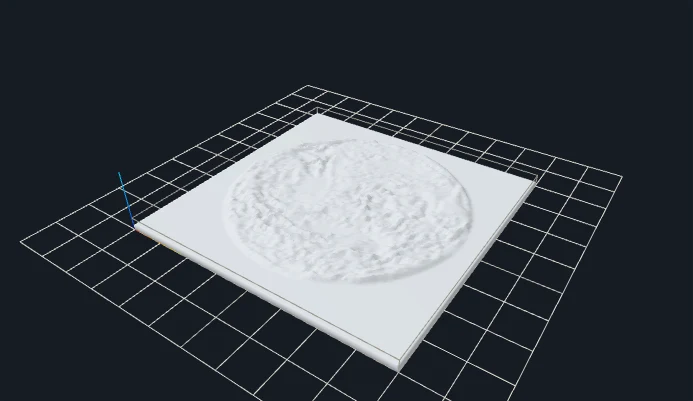
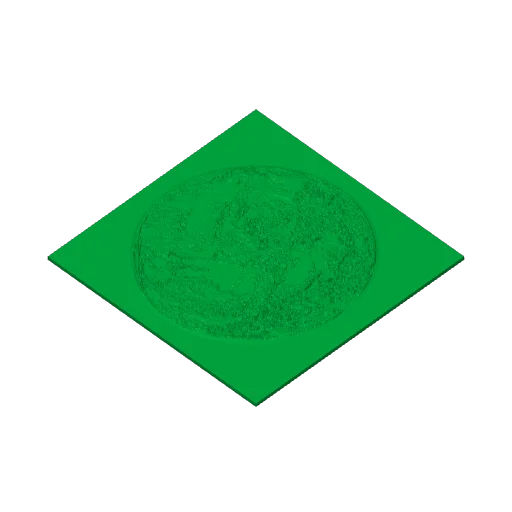
Source imageGenerated mesh · digital preview
Example size: 90.0 × 90.0 × 4.1 mm
Choose an image → Set size → Generate → Download STL
STL coordinates are in mm. No colors or textures. Review walls and orientation in your slicer before printing.
FROM IMAGE TO OBJECT
Two real conversions you can repeat
Original inputs, actual generated meshes and downloadable STL files. These are digital previews, not photographs of printed objects.
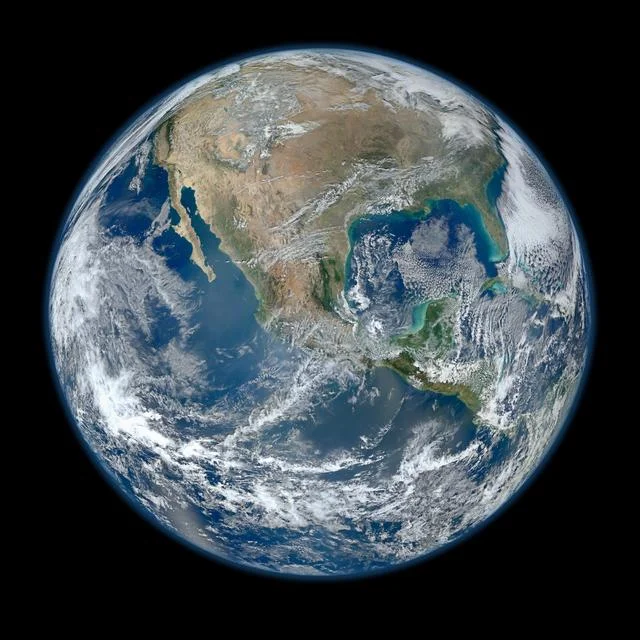
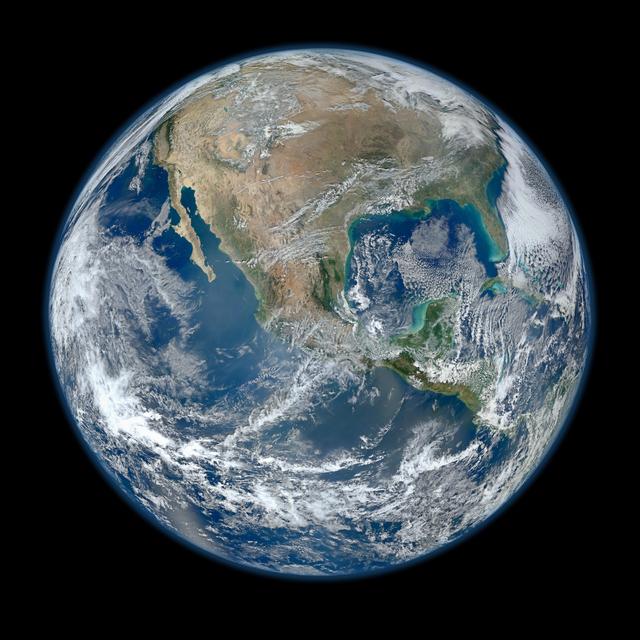
NASA Earth photograph as a rectangular relief
Original inputGenerated 3D geometry
Land, ocean and the photographic background become height values; no background is automatically removed.
A JPG relief raises tones; it does not remove the background
A JPG photograph has color and brightness but no alpha channel. In Relief mode, its brightness is sampled onto a surface above a flat rectangular base. The full photograph participates, including the backdrop. Clouds, faces and dark shadows become changes in surface height rather than independent three-dimensional objects. Choose a photograph with useful light and dark separation instead of expecting the file extension alone to describe depth.
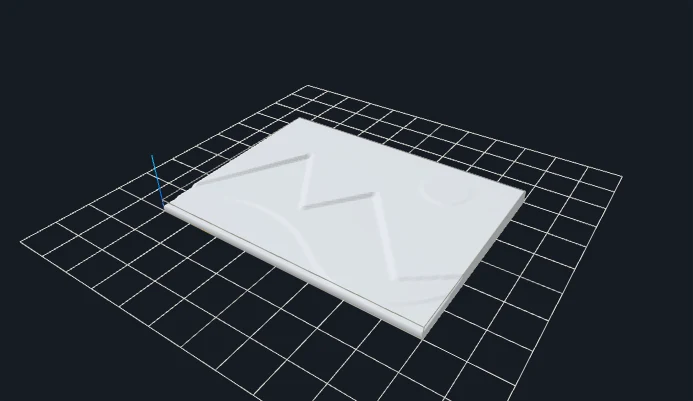
The default here is 90 mm wide, with a 1.6 mm base and up to 2.5 mm of additional relief. The NASA Earth photograph and the project-authored mountain illustration show how detailed photographic texture differs from broad tonal regions. The mountain source is an illustration saved as JPG, not a photograph of a printed model. Both results come from the same browser pipeline and can be downloaded with their exact example parameters.
Contrast changes how strongly the sampled tones spread across the available height range. Raising it can emphasize transitions but can also flatten already bright or dark regions. Smoothing can reduce fine JPEG artifacts that otherwise become small bumps. A larger grid supplies more triangles, not recovered camera detail or an unseen rear surface. For a pure cutout, prepare a transparent PNG or SVG rather than relying on a photo background to disappear.
SET THE PHYSICAL SIZE
Parameters that change your result
Control
Starting point
What to inspect
Width / base
90 mm / 1.6 mm
Width sets the rectangular footprint and source aspect ratio sets height. The base remains a separate positive Z dimension.
Relief depth
2.5 mm
Controls the extra height range above the base. Low contrast sources may not reach both endpoints.
Contrast
1.2 initially
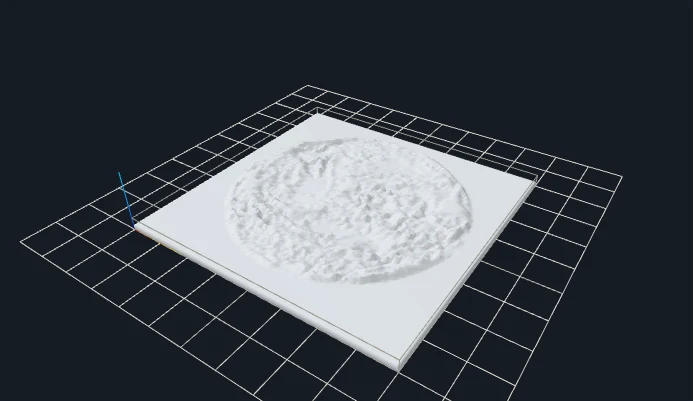
The same Earth input is also generated at contrast 2 below. Compare the changed surface and volume rather than assuming stronger contrast is always better.
Smoothing / resolution
0 / 256 initially
Use smoothing to reduce fine tonal changes. The reproducible gallery examples use grid 128 to keep their downloads modest.
CHANGE ONE VARIABLE
A measured parameter comparison
Contrast changes the height distribution; it does not recover missing photographic detail. Both files use the same input and recorded settings; the single change is shown below.
Closed geometry and dimensions were checked after download. These measurements describe these files; they are not a printability guarantee.
YOUR FIRST CONVERSION
From source to slicer
Choose a JPG with clearly separated light and dark areas.
Use Relief, set base and depth, then adjust contrast or inversion.
Generate and check the bounding dimensions before choosing millimeters in your slicer.
Download the regenerated STL, confirm its dimensions as millimeters in your slicer, and check orientation, thin details and separate pieces before slicing.
One format, specific limits
STL stores triangles without units, colors or textures. This tool writes coordinates intended as millimeters. Closed-mesh validation checks finite coordinates, oriented shared edges and positive volume; it does not certify your printer, material or every thin feature.
JavaScript and Web Workers are needed for conversion. WebGL enables the interactive preview; if preview initialization fails, an already validated STL can still be downloaded.
BEFORE YOU PRINT
Slicer evidence with a clear scope
The V1 baseline fixture relief-earth produced actual layered G-code in both slicers. Across the four modes, eight baseline STL files were checked in Bambu Studio and PrusaSlicer. Their recorded files and hashes are retained.
PrusaSlicer: 17 layers, 126,396 extrusion moves.
Bambu Studio: 18 layers, 82,489 extrusion moves.
These are baseline slicing checks, not tests of every gallery parameter variation or physical print. Open your own downloaded model, check dimensions and thin features, and choose settings for your printer.
No automatic background removal is included. Relief includes the rectangular photo; Silhouette uses a brightness threshold. For a clean cutout, prepare a transparent PNG or closed SVG.
What happens to JPG compression artifacts?
They can become small height changes. Smoothing reduces fine variations, and a lower grid resolution can reduce tiny details.
Can I convert a portrait to a full figurine?
No. A portrait becomes a shallow brightness-based surface, not a complete head with reconstructed sides and back. Choose a workflow designed for full three-dimensional modeling if that is your goal.
Should I print the relief or make a lithophane?
Relief is viewed by reflected light and puts brighter values higher. Lithophane is viewed through a light source and usually makes darker values thicker. They require different thickness choices and produce different objects.
Files stay on your device. Desktop: up to 20 MB / 8 million pixels. Touch phones: 10 MB / 4 million pixels. SVG: 1 MB with bounded complexity. PNG, JPG, WebP and prepared SVG only. Use original or permitted artwork; model conversion does not grant image or trademark rights.