Turn brightness into a flat panel that can transmit light
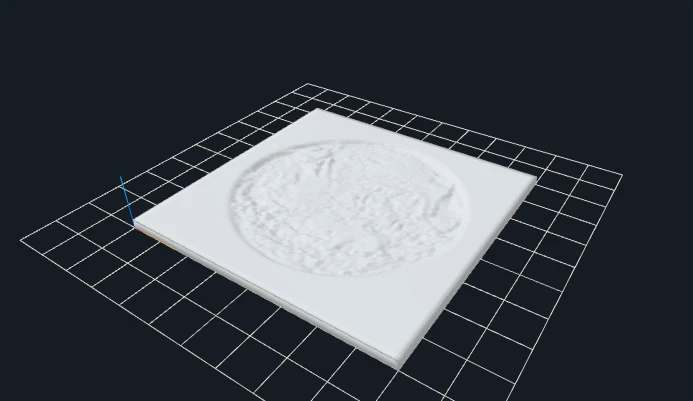
A lithophane uses varying material thickness to reveal an image when light passes through it. Darker pixels produce thicker regions, while lighter pixels produce thinner regions. The rear is flat and the front contains the thickness pattern. This V1 maker generates flat panels only; it does not wrap a photo around a cylinder, create a curved frame, or produce a calibrated preview of a particular filament and lamp.
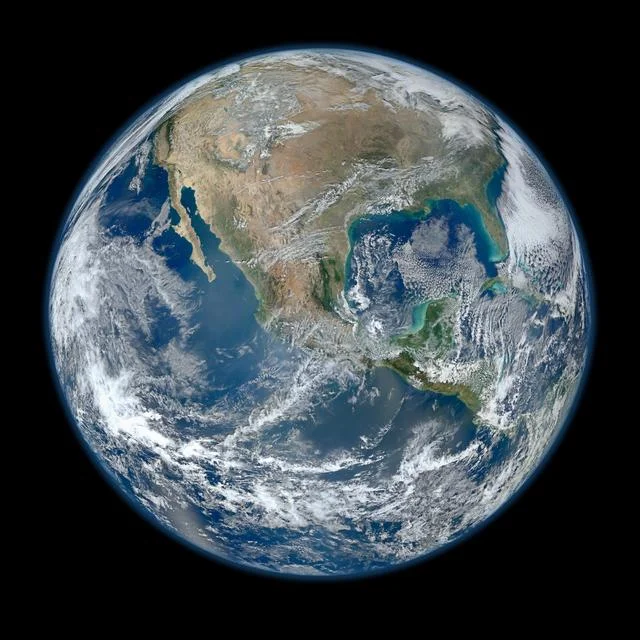
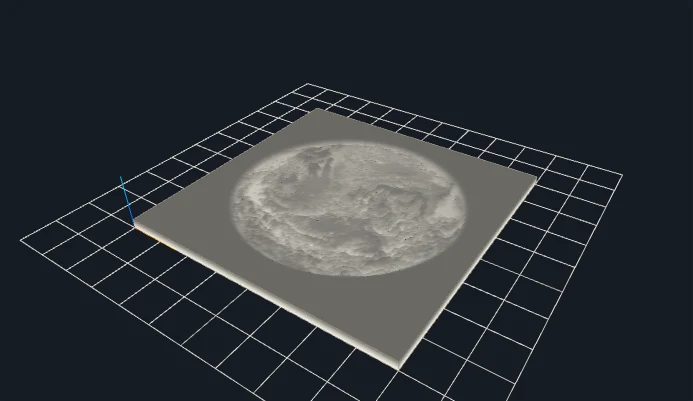
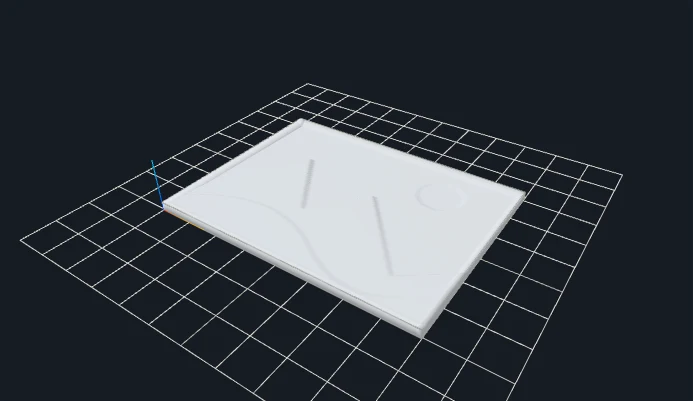
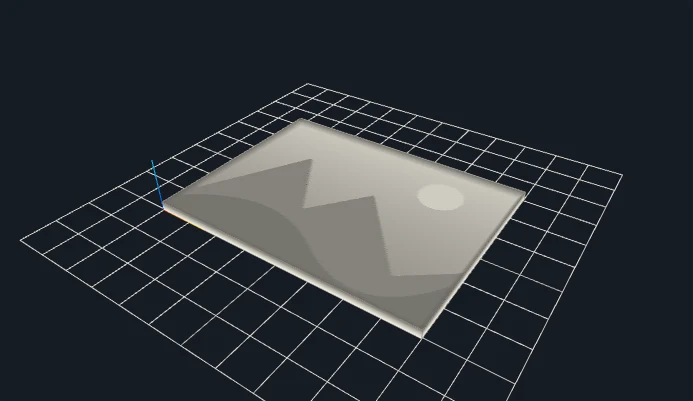
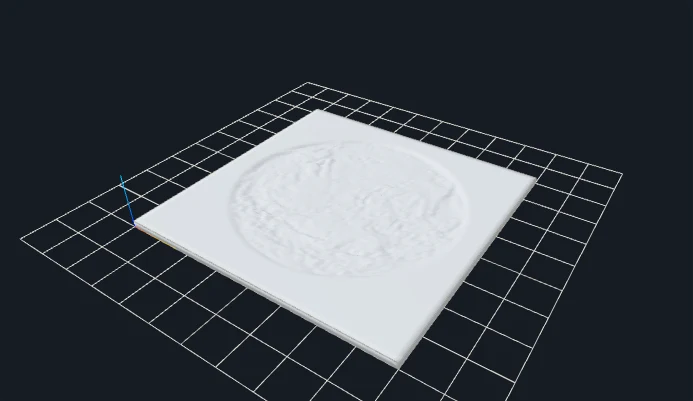
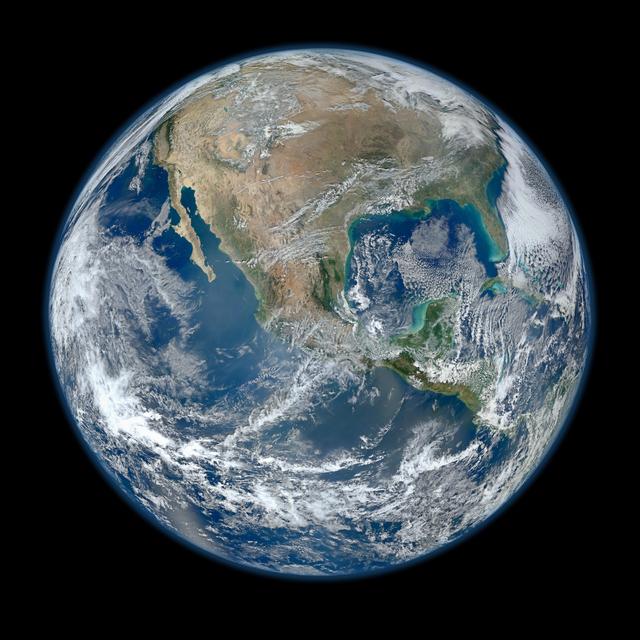
The Earth photograph and the original mountain illustration are shown as actual gray models and simulated backlit previews. The simulation uses thickness to vary display brightness. It illustrates the relationship, but printed transmission also depends on material, color, layer settings, orientation and illumination. The illustration is not a photograph of a physical print, and neither preview establishes a guaranteed photographic result.
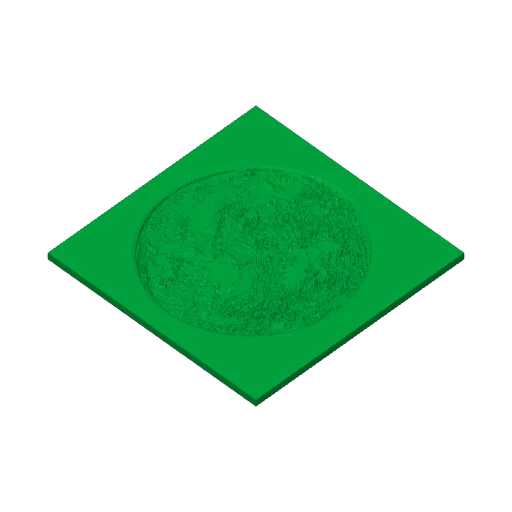
Minimum and maximum thickness define different limits. Keep the minimum positive and choose a larger maximum so the photo has a thickness range. Border is included in the outside width and helps define an edge around the flat panel. The experiment below changes the Earth maximum from 3.2 to 2.2 mm while keeping minimum, border and source fixed. Compare the real mesh dimensions and thickness distribution before deciding what to print.
SET THE PHYSICAL SIZE
Parameters that change your result
Control
Starting point
What to inspect
Width / border
100 mm / 2 mm
Width includes the border. A border changes the image area inside the outside dimensions rather than adding width after export.
Thickness range
0.8 to 3.2 mm
Dark values approach maximum thickness. The comparison below lowers maximum to 2.2 mm; minimum must remain positive and below maximum.
Gamma / brightness
1 / 1
Adjust tonal mapping when needed. These change geometry, not just the viewer lighting; regenerate before downloading an updated file.
Contrast / resolution
1 / 256 initially
Use a sensible tonal range and bounded grid. The tutorial files use 128; larger grids cost more memory and do not guarantee better transmission.
CHANGE ONE VARIABLE
A measured parameter comparison
Reducing maximum thickness compresses the thickness range. Display brightness is not a measured filament transmission value. Both files use the same input and recorded settings; the single change is shown below.
Maximum thickness (mm): 3.2Maximum thickness (mm): 2.2
Closed geometry and dimensions were checked after download. These measurements describe these files; they are not a printability guarantee.
YOUR FIRST CONVERSION
From source to slicer
Choose a photo with useful contrast, then select Lithophane.
Set a nonzero minimum, a larger maximum thickness and an optional border. Adjust gamma, contrast and brightness.
Generate and compare gray geometry with Backlight simulation. Choose print orientation and material in your slicer.
Download the regenerated STL, confirm its dimensions as millimeters in your slicer, and check orientation, thin details and separate pieces before slicing.
One format, specific limits
STL stores triangles without units, colors or textures. This tool writes coordinates intended as millimeters. Closed-mesh validation checks finite coordinates, oriented shared edges and positive volume; it does not certify your printer, material or every thin feature.
JavaScript and Web Workers are needed for conversion. WebGL enables the interactive preview; if preview initialization fails, an already validated STL can still be downloaded.
BEFORE YOU PRINT
Slicer evidence with a clear scope
The V1 baseline fixture lithophane-earth produced actual layered G-code in both slicers. Across the four modes, eight baseline STL files were checked in Bambu Studio and PrusaSlicer. Their recorded files and hashes are retained.
PrusaSlicer: 15 layers, 162,440 extrusion moves.
Bambu Studio: 16 layers, 107,670 extrusion moves.
These are baseline slicing checks, not tests of every gallery parameter variation or physical print. Open your own downloaded model, check dimensions and thin features, and choose settings for your printer.
Choose flat panels, outlines or reliefs for your intended object.
PRACTICAL ANSWERS
Questions about Image to Lithophane Maker
Why are dark parts thicker?
More material blocks more light. The model maps dark image values toward maximum thickness and bright values toward minimum thickness. Invert reverses this mapping.
Can I make a curved lithophane?
V1 generates flat panels only. Print quality and transmission depend on material, layer settings, orientation and lighting; a slicer review is required.
Does backlight simulation change the downloaded STL?
No. It changes the viewer material for the same validated mesh. Thickness settings, gamma, brightness or contrast do change the model and require regeneration.
Which printer and filament settings should I use?
Select settings for your own machine and material in the slicer, inspect thin regions and orientation, and make a small calibration print if transmission matters. This site does not provide universally validated lithophane print settings.
Files stay on your device. Desktop: up to 20 MB / 8 million pixels. Touch phones: 10 MB / 4 million pixels. SVG: 1 MB with bounded complexity. PNG, JPG, WebP and prepared SVG only. Use original or permitted artwork; model conversion does not grant image or trademark rights.